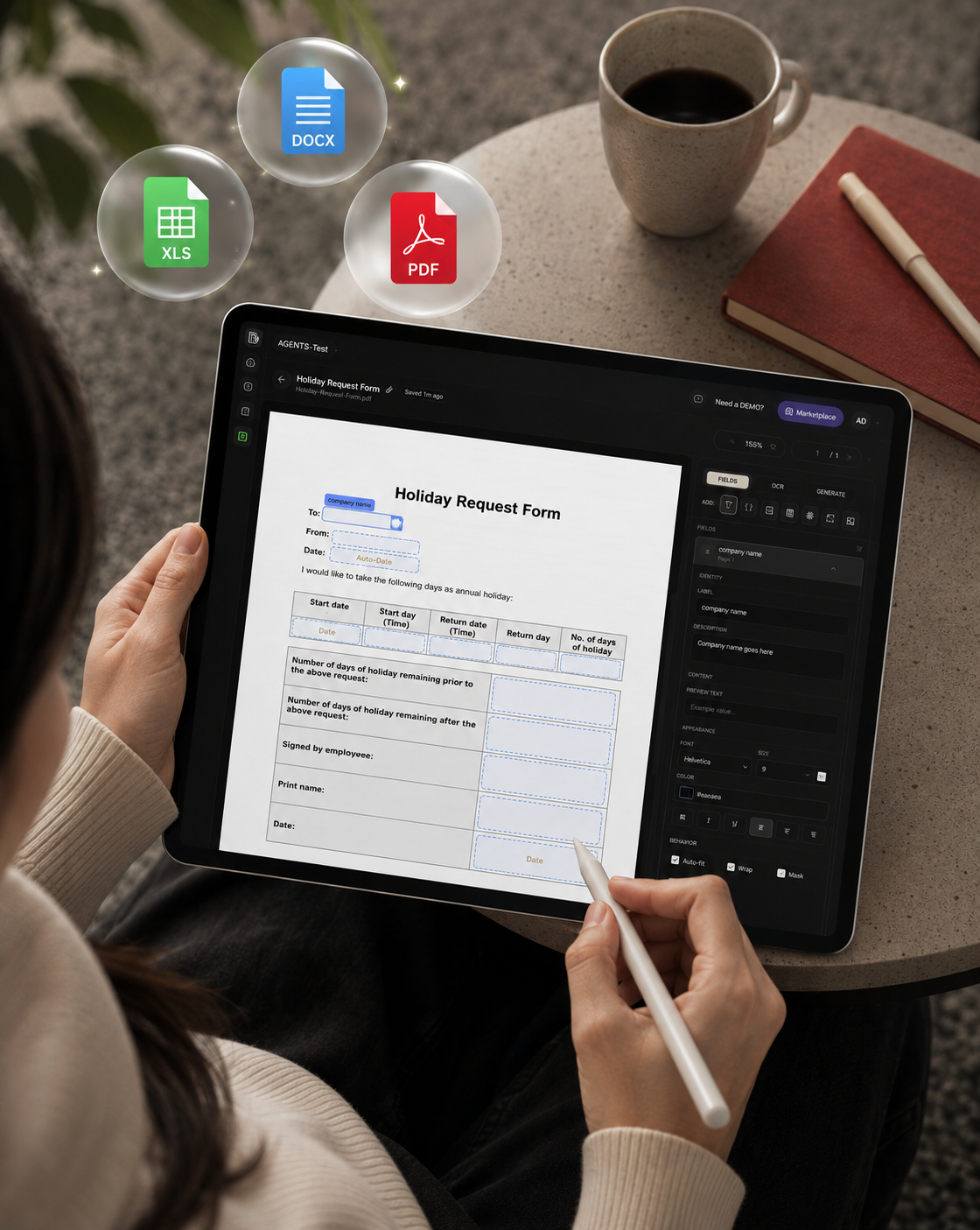
Annotate once. Generate every file after

PDF, Word, or Excel. Mark the blanks. Same layout, new data.

Trusted by companies all around the world

Free 7-day trial30 credits free usageCancel anytime

app.dima-ai.com
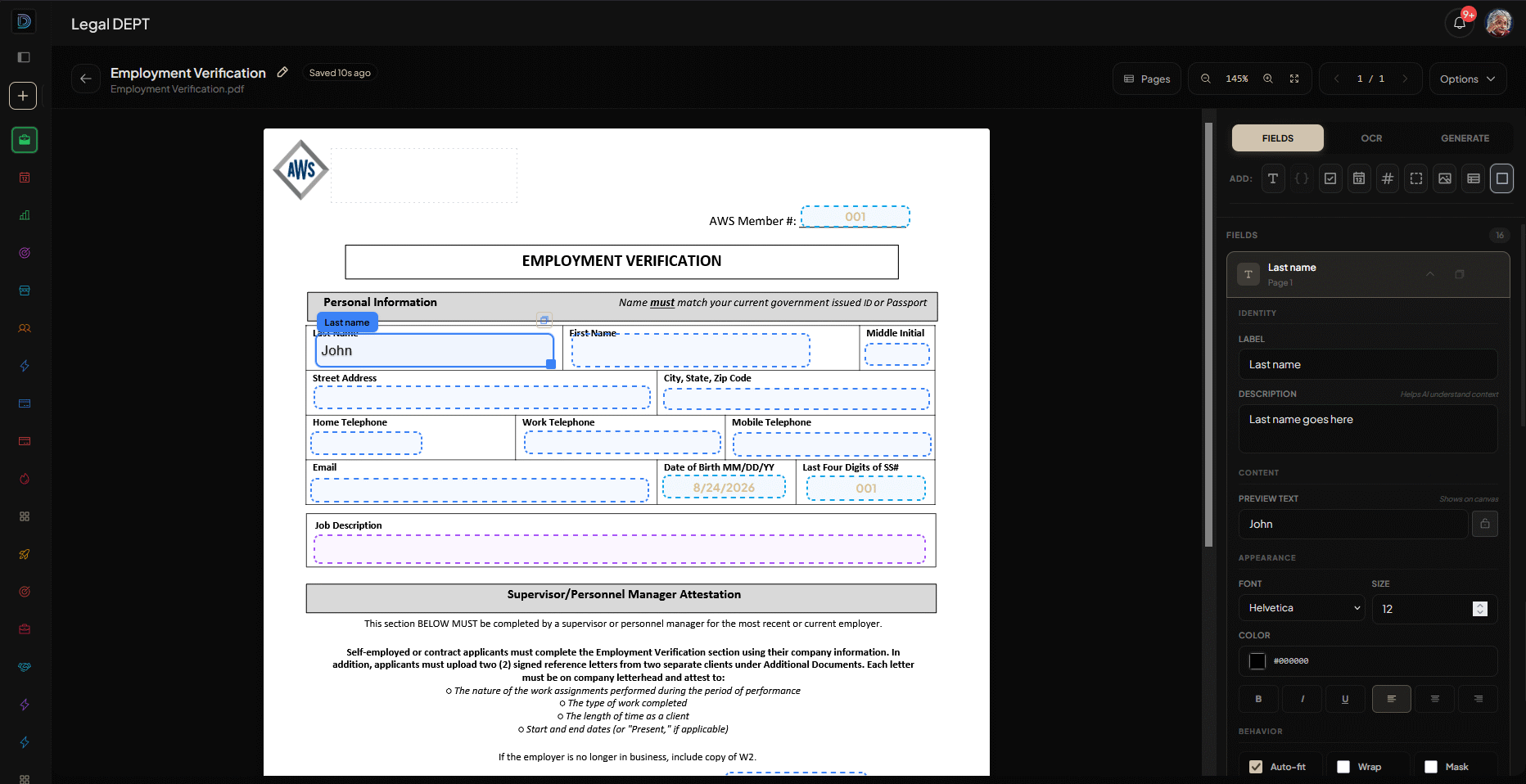
DIMA file labeling editor with fields marked on a live PDF

Templates

AI that fills document templates at scale

Mark the blanks once. Generate every file after that. The layout stays yours.

One template.
Populate the data after.

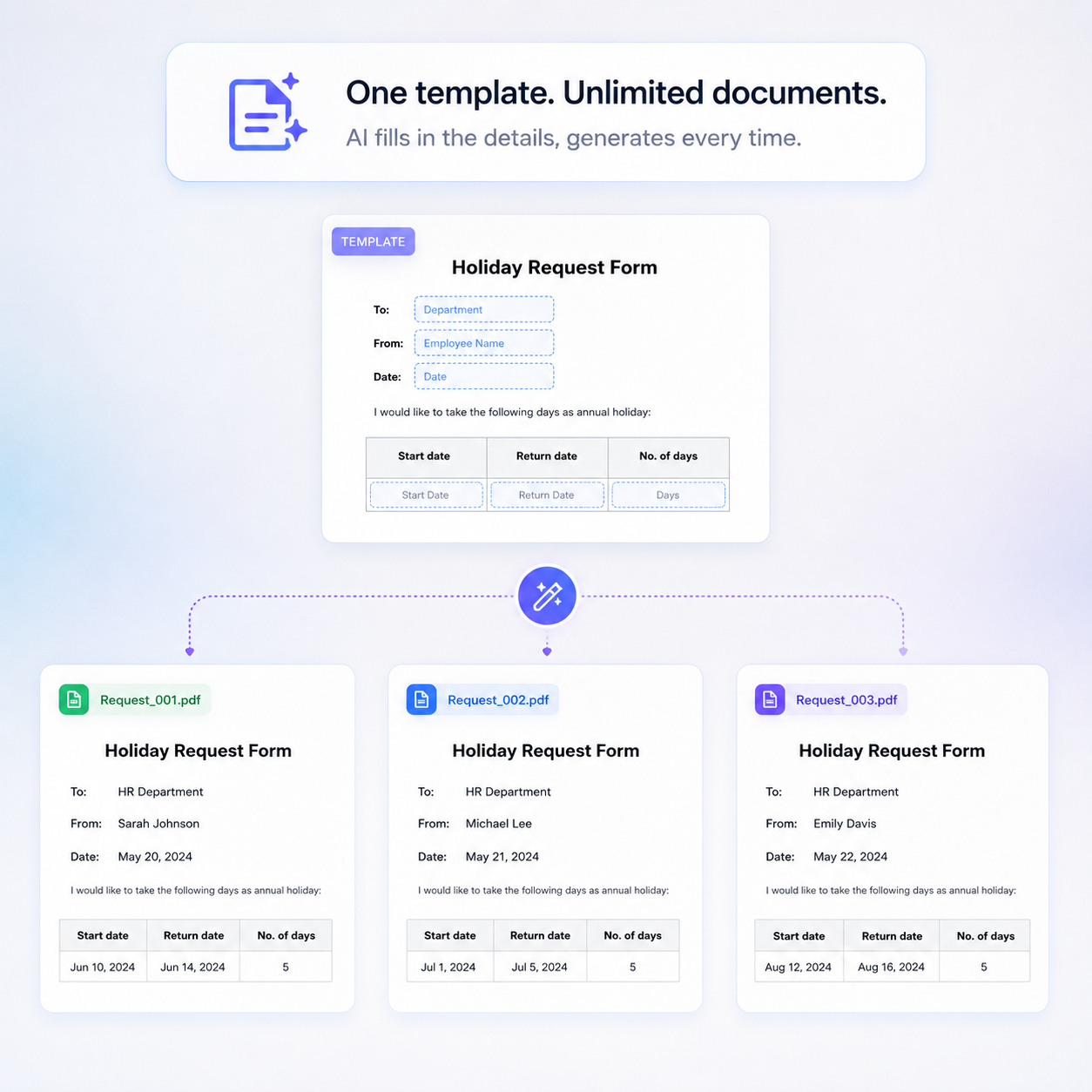
Mark the blanks once. Feed rows from a sheet, CRM, or chat. Each run fills the same layout with new data inside.


The original file
stays untouched

AI writes only into marked fields. Design, tables, and type stay exactly where you left them.

Automate
file population

Turn unstructured data into filled internal documents. Triggers, batches, and agents run on auto-pilot.

Populate with AI

Connect your data. AI fills the blanks.

  • 01
    Upload The PDF, Word, or Excel you already send.
  • 02
    Label each box One sentence per field. That is the rule.
  • 03
    Generate Review, download, send. Every copy is logged.
  • 04
    Automate Triggers, batches, and agents fill documents on auto-pilot.
Fields marked on a document in DIMA file labeling
Fields on your PDF PDF · Word · Excel

The editor

Same document template, endless generations

Upload the files your team already uses. Mark the blanks, connect the data, generate filled copies on demand or on auto-pilot.

Annotate

Mark where the data goes on your file

Upload the contract, form, or quote you already send. Draw a box on every blank that should get new values each run.

  • PDF, Word, and Excel. Use the file as-is, no reformatting or new layout
  • Design, tables, and type stay fixed. Only the marked blanks change
  • Save once as a template. The whole workspace can run it
Annotating fill fields on a document in DIMA

Instruct

Tell each field what data to pull

One label per box. "Client legal name from the deal." DIMA finds it in your CRM, sheet, or workspace files on every run.
  • Plain English, in the terms your team already uses
  • Pulls from CRM, Drive, spreadsheets, and files in the workspace
  • Dates, amounts, names, and values that depend on other fields
One template generating filled documents in DIMA

Generate

New data in. Filled document out

Point at a CRM record, spreadsheet row, or file. DIMA fills every marked field. You review before download or send.
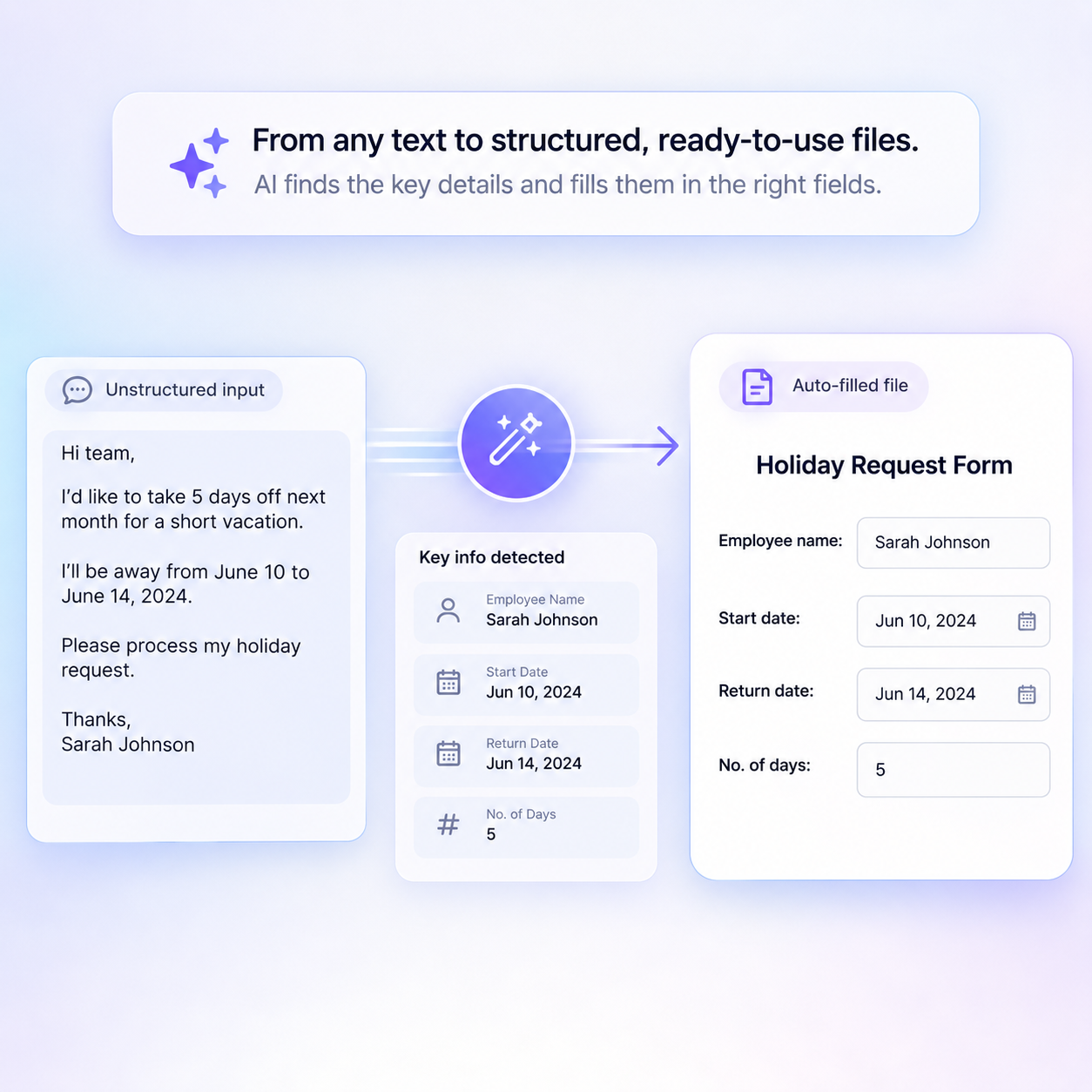
  • One source row in, one filled document out. CRM, Drive, sheet, or a file you drop in
  • Edit any value on the review screen before it goes out
  • Download PDF or editable Word. Every run stored with its source data
AI filling a template from unstructured text in DIMA

What you can generate

Quote from the CRM

The rate card you already designed. Names, SKUs, and totals drop in from the deal.

Proposal pack

Scope, price, and dates filled. The cover and the grid stay the ones brand signed off.

MSA for a new logo

Party names and seats change. Clause layout does not. Legal sees the file they know.

Order form

Line items from the sheet. The stamped form comes back ready to send.

Renewal quote

Last year’s file. This year’s numbers. The buyer recognises the document.

A batch for the pipeline

A list of accounts in. A folder of finished quotes out, each on the same template.

You stay in control

It fills the fields. You keep the file.

You approve

A filled file sits until someone on your team reviews it.

Field-level trail

Template, source record, each box, who generated, who signed off.

No data training

Templates, fills, and source files stay yours. Never used to train a model.

Private by default

Roles and permissions follow the workspace. GDPR-ready.

Start with one file

Stop copy-pasting into the same PDF

Upload the contract, NDA, or form your team fills by hand. Mark the blanks once, connect CRM or sheets, and generate filled copies on demand or on auto-pilot.

  • PDF, Word, Excel
  • CRM and sheets
  • Free trial